How Live Map Leads works
A walkthrough of pulling a local-business list from Google Maps: set up a search, narrow it with free filters, and export to a spreadsheet or your CRM.
By Aiden · Updated · 5 min read
Live Map Leads turns a business type and a location into a downloadable list of local businesses, complete with phone numbers, websites, and categories, in a few minutes. There is nothing to install and no scraper to configure. You fill in a short form, we search Google Maps for you, and a clean spreadsheet comes back. This walkthrough goes through the whole thing screen by screen, so you know exactly what to expect before you sign up.
Tell it what to find, and where
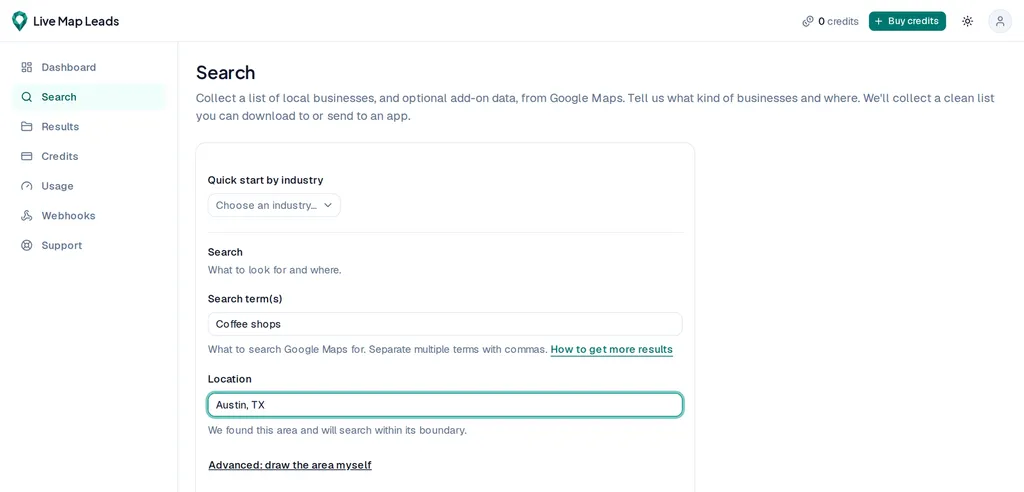
Every search needs two things: what you are looking for and where to look. Type one or more business types into the search box, like dentist or coffee shop, and set a location underneath it. That is the entire setup for a basic run. The two fields stay separate on purpose, which is part of what lets your list grow well past the handful of pins you would see browsing the map by hand. If you are not sure what to type, open the Quick start by industry menu and pick something like HVAC, Dental, or Roofing; it fills in proven search terms for you, ready to run in one click.
Want the biggest, most complete list a single search can return? The companion guide on getting better Google Maps leads covers search terms and areas in depth. Get a bigger, more complete list.
Draw your own area, when a city name is not enough
Most searches work fine with a city or postal code in the location box. When you need more precision, switch to drawing the area yourself and outline exactly where to search on the map. Use the circle tool to cover a radius around a point, or the polygon tool to trace an exact shape: a single neighborhood, a downtown core, or one side of a highway. You can even draw more than one area in a single search. You never deal with coordinates; you draw on the map and the rest is handled for you.

Narrow the list with free filters
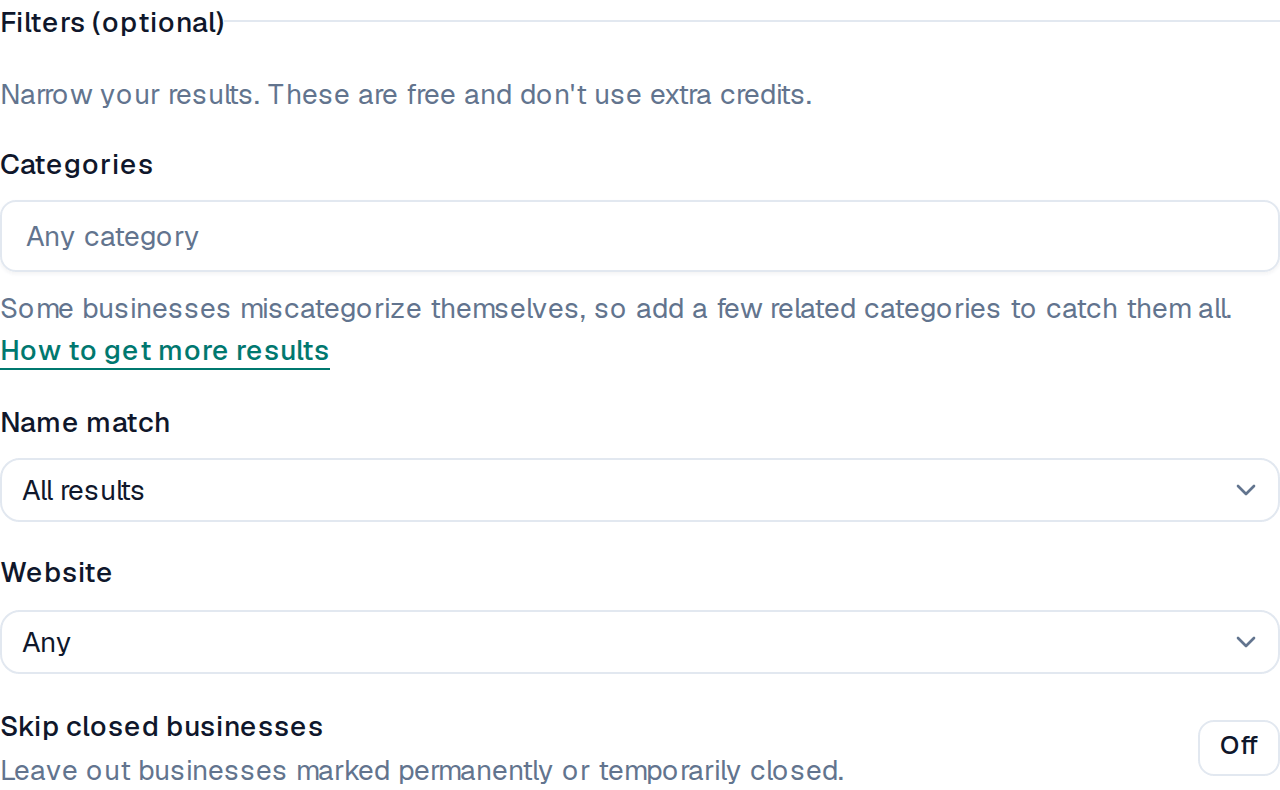
Before you pay for anything, you can trim the list down to the businesses you actually want. Filter by category, keep only businesses that have a website or only the ones that do not, skip places marked permanently or temporarily closed, or match by name. Every one of these filters is free. A tighter, more useful list never costs more here, because you are only ever charged for contactable results.
Run it, and watch your list build
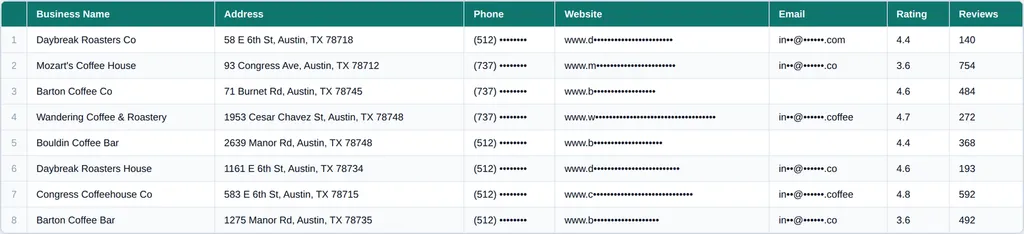
Start the search and the list builds in the background, usually within a few minutes, so you do not have to sit and wait on the page. Each row that comes back is one business, pulled live from Google Maps at the moment you run it, so the details reflect what is on the map that day rather than a recycled database. Every business arrives with its name, phone number, website, category, star rating, review count, and a link to its Google Maps listing, all for one credit. Emails, reviews, and images are optional add-ons you can switch on when a particular job needs them.
Export it, or send it straight to your tools
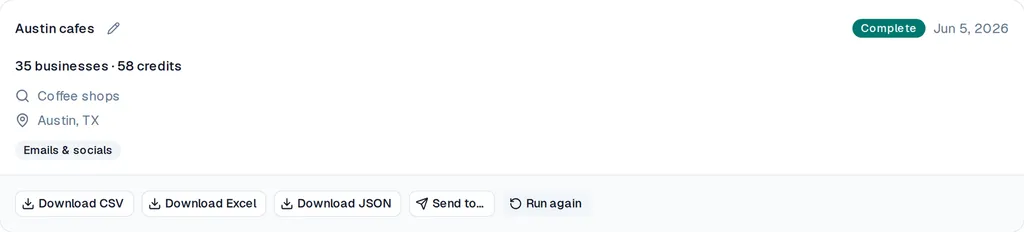
When the list is ready, download it as a CSV or an Excel file, or have it delivered straight to your CRM or another app. A CSV opens in any spreadsheet program and imports almost anywhere, so it is the safe default; choose Excel when you want to sort and edit by hand right away. Prefer to skip the download entirely? Connect a destination once and each finished list can arrive in your CRM, Zapier, Make, or n8n on its own. See how exporting works.
What it costs to try
New accounts start with free credits and no card, so you can run a real search and see genuine results before spending anything. After that you buy credits in bulk, one credit per business, with no subscription and no monthly reset, and the credits you buy never expire. If a business comes back with broken or unreachable details, that credit is refunded, and a search that finds nothing costs nothing at all. See pricing.
Questions, answered
- Do I need any technical skills to use Live Map Leads?
- No. You fill in a business type and a location, and a clean list comes back. There is no code, no scraper to set up, and nothing to install. When it is done you download a spreadsheet or send the list straight to your CRM.
- How long does a search take?
- Most searches finish in a few minutes. Larger areas and more search terms take a little longer, because each term runs as its own search. Your list builds in the background, so you do not have to wait on the page.
- Can I try it before paying?
- Yes. New accounts start with free credits and no card, which is enough to run a real search and see the results. You only ever pay for contactable results, one credit each.
- What do I get for each business?
- The name, phone number, website, category, star rating, review count, and a Google Maps link, at one credit per business. Email addresses, reviews, and images are optional add-ons you can turn on per search.
- How is this different from searching Google Maps myself?
- Searching by hand, you open one business at a time and copy its details, which is fine for a few but slow for hundreds, and a single Google Maps search only ever shows you about 120 places. Live Map Leads runs the search across your whole area, pulls far more than 120, and hands back a clean spreadsheet with every business's details already in columns, so you skip the copy-and-paste entirely.
Build your list
Pull a targeted list of local businesses, and pay only for contactable results.
Get started